 Live
Boostly
Small blocks that make product pages work harder.
Overview
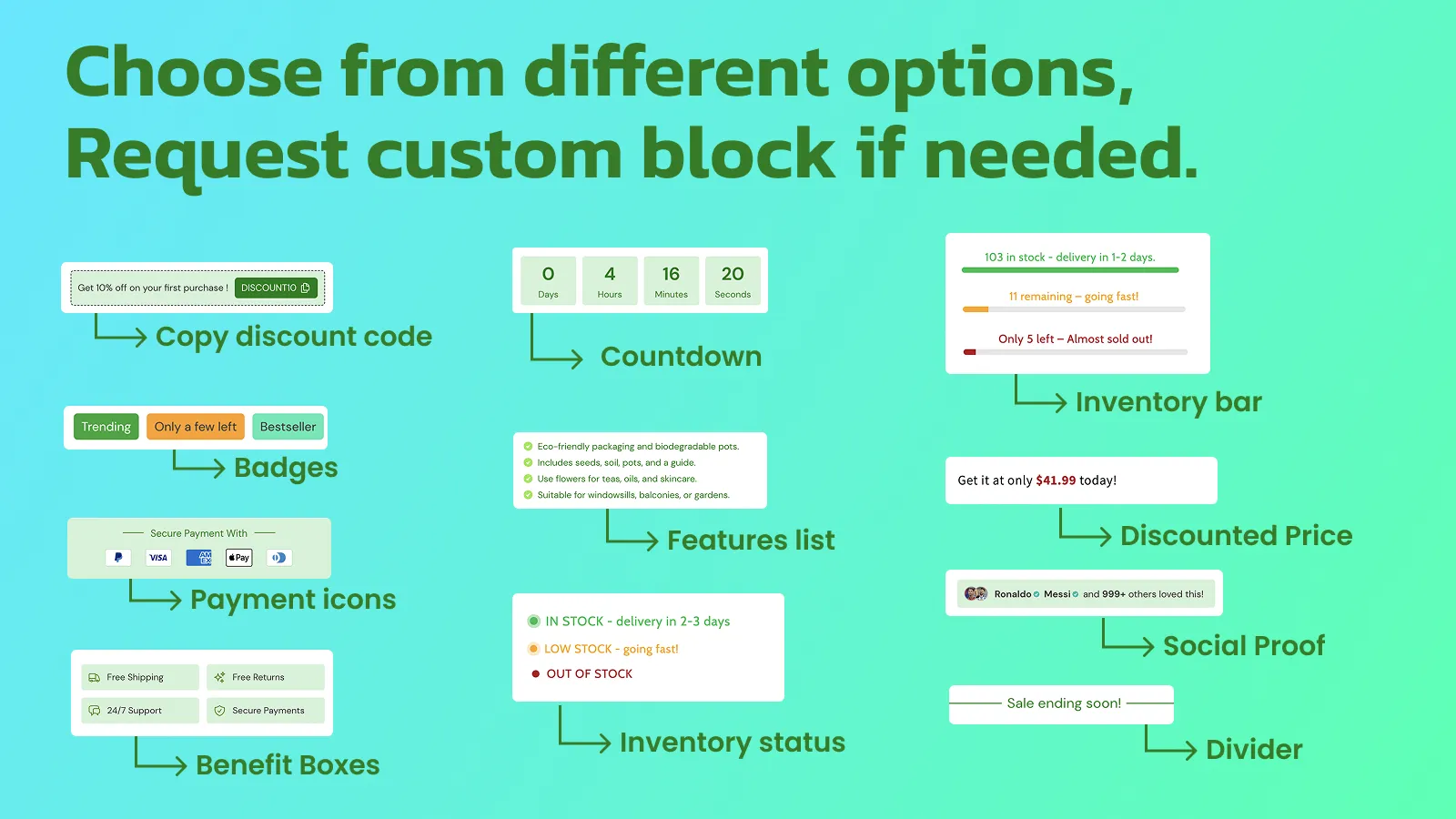
Boostly adds a set of ready-made blocks to Shopify product pages: trust badges, benefit boxes, stock bars, countdowns, discount codes shoppers can copy, payment icons, feature lists and dividers.
Blocks are added and styled in the Shopify theme editor, work with Online Store 2.0 themes, and are built to have no impact on store speed.
Problem and idea
The problem
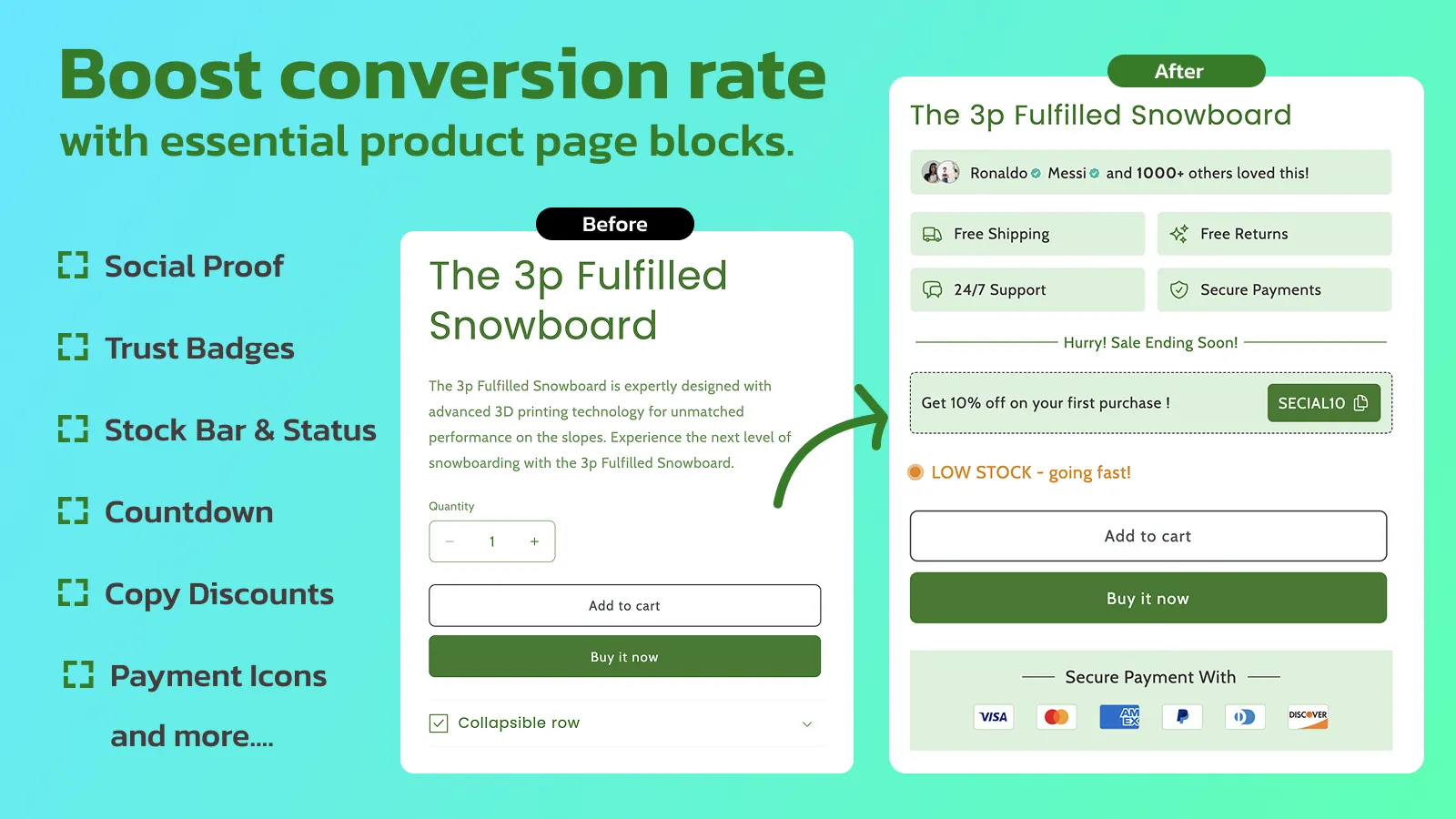
Product pages often leave out the small reassurances shoppers look for before buying: shipping, returns, stock, secure payment. Adding them usually means editing theme code or stacking several apps.
The idea
A box of well-made pieces that drop straight into the theme editor and pick up the store's look, so merchants can build a better product page without touching code.
My role
I design, build and maintain it: the product decisions, the interface, the frontend and backend, releases, and the support inbox afterwards.
Features
- 01
A library of blocks
Copy discount code, countdown, inventory bar and status, badges, features list, discounted price, payment icons, benefit boxes, dividers and more.
- 02
Theme editor native
Fully compatible with Online Store 2.0 themes. Blocks are placed and customised where merchants already design their store.
- 03
On brand
Colours, borders, backgrounds and text are all customisable.
- 04
Light on the store
Built with zero impact on store speed as a goal from the start.
Screenshots
Technical notes
- Theme app blocks
- Built on Shopify's theme app extensions so blocks live inside the theme editor and do not require code edits.
- Speed is part of the spec
- The listing promises zero impact on store speed, so every block has to earn its place on the page.
Writing about this
The small product page blocks that quietly lift conversion
Trust badges, feature icons, and sale banners do more for product page conversion than most redesigns. What to add, where to place it, and how to avoid slowing your store down.How to grow a new Shopify app when nobody knows it exists
A practical playbook from a developer with 5+ public apps: picking low competition keywords, spending Shopify's free ad credits well, earning genuine reviews, and reaching Built for Shopify.